The focus of this post is github agentic workflow. Before we dive into it lets brush through basics of Github Events & Actions.
GitHub Events
An event is any significant action performed on GitHub, ranging from code changes to administrative updates. Common examples include: Push: When code is pushed to a branch. Pull Request: When a pull request is created, updated, or merged. Issues: When an issue is opened, edited, or labeled. Release: When a new software release is published. Scheduled Events: Using cron syntax to run tasks at specific times (e.g., nightly builds). Manual Triggers: Using workflow_dispatch to start a workflow manually through the UI or API.
GitHub Actions
A powerful and flexible automation platform provided by GitHub that allows developers to automate tasks directly within their repositories. It is commonly used to implement CI/CD pipelines that build and test code on every pull request and deploy merged code to production. It can also automate any repository action by listening to various events such as code pushes, issue creation, pull request updates, or package registry events.
- Workflow & Job
The core component of GitHub Actions, representing an automated process capable of executing one or more tasks. Workflows are defined using YAML files stored in the .github/workflows directory of a repository. A workflow runs in response to a specific event, such as a code push or a manual trigger. A workflow consists of one or more jobs. Each job contains a series of individual steps (e.g., cloning code, installing dependencies, running tests) that are executed in series. Multiple jobs within a single workflow can run in parallel by default.
- Github Runners
A runner is a server (usually a virtual machine) that is responsible for executing the steps defined in a job. GitHub automatically provisions a runner for each job based on the runs-on configuration specified in the YAML file. Users can access real-time logs, outputs, and artifacts for every step executed on a runner through the GitHub UI.
Here’s a simple example of a GitHub Actions workflow - https://github.com/amoldighe/pytest/blob/main/.github/workflows/python-test.yaml
How Github Events Associate with GitHub Actions
The relationship between events and actions is defined within a Workflow file (a YAML file located in .github/workflows).
-
The “on” Key: You use the on keyword in your YAML configuration to specify which event(s) should trigger the automation. For example, on: push tells GitHub to run the workflow every time code is uploaded.
-
Filtering: You can refine how an event triggers an action by adding filters. For instance, you can specify that a workflow should only run on a push to the main branch.
-
Contextual Information: When an event triggers a workflow, GitHub provides “event context” to the runner. This data includes details like who initiated the event, the branch name, and the commit ID, which the action can use to perform its tasks (like posting a comment on the specific issue that was just opened).
In summary, GitHub Events act as the “sensor” that detects activity, while GitHub Actions provide the “response” or logic that executes in reaction to that activity.
What is Agentic Workflow?
Github supports agentic workflow through Github Actions with a paid Github subscription, specifically one with an active GitHub Copilot subscription. While the underlying GitHub Actions (which execute the workflows) have a free tier, the AI agents that power the automation depend on premium Copilot requests to function, with each run often consuming multiple requests.
Instead we will implement the agentic workflow using Github Actions and Openrouter API.
What is Openrouter?
OpenRouter is an API platform that provides access to various AI models from different providers through a unified interface. It allows developers to use different AI models with a single API key and pricing structure. It supports various AI models including OpenAI, Anthropic, Google, and many more. Best part about openrouter is that it provides free tier for using various AI models. For this example I will be using the free tire of Openrouter for PR review agent.
How to create a PR review agent?
I am setting up a workflow which will be triggered when a pull request is opened or updated. It uses github action to get the diff of the pull request and then sends it to the openrouter API for review. The review is then posted as a comment on the pull request.
The workflow YAML - https://github.com/amoldighe/pytest/blob/main/.github/workflows/pr-review.yaml leverages DiffGuard AI PR Review action from github marketplace.
      - name: AI PR Review
        uses: jonit-dev/openrouter-github-action@main
        with:
          # Required inputs
          github_token: $ # Automatically provided
          open_router_key: $ # Must be set in repository secrets

          # Optional inputs with defaults
          model_id: 'google/gemma-3-27b-it:free' # Default model
          max_tokens: '2048' # Default max tokens
          review_label: 'ai-review' # Optional: Only review PRs with this label

          # Optional custom prompt
          custom_prompt: |
            You are a security-focused reviewer. Analyze this PR with emphasis on:
The Openrouter API key need to be setup as part of your repository secrets and variables & refrenced in the workflow YAML file. On using the label ai-review on the pull request the workflow will be triggered.
Here’s a sample output of the PR review analyzed using model google/gemma-3-27b-it
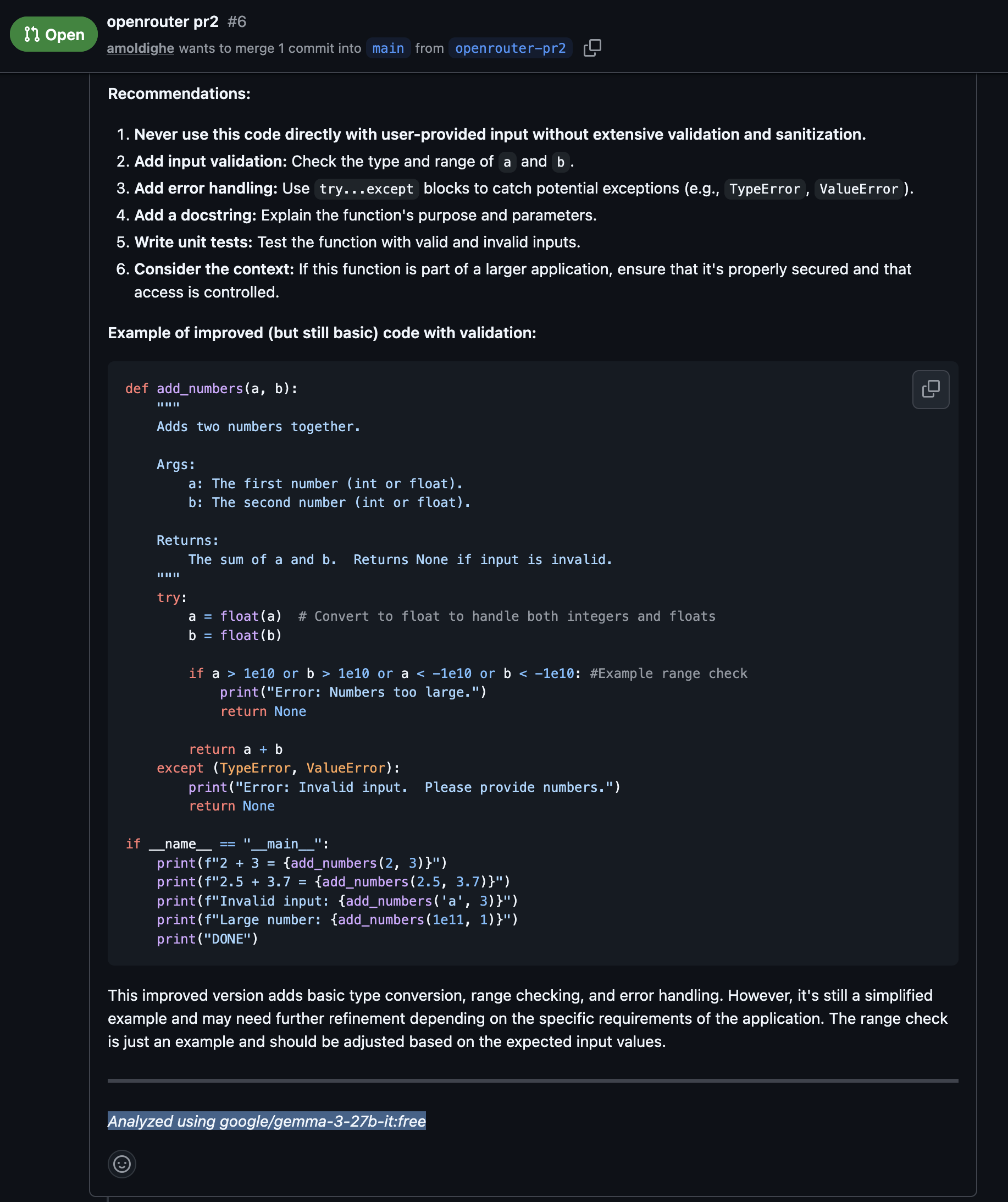
Details can be viewed on this PR - https://github.com/amoldighe/pytest/pull/6